Understanding Swagger Catalog Navigation
Overview
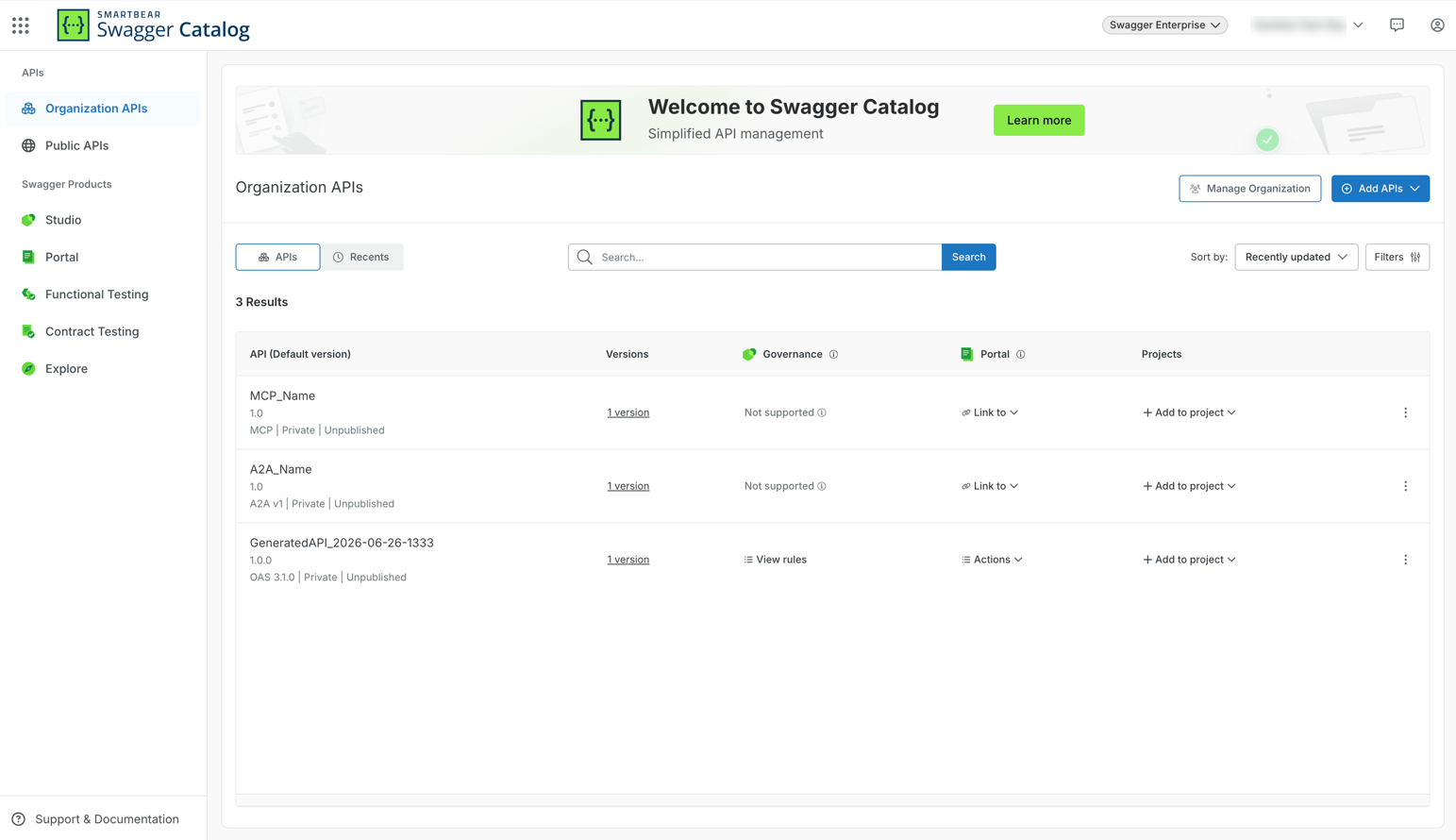
This section provided a detailed overview of the user interface (UI) elements in Swagger Catalog. When you are logged in Swagger Catalog, you see all the APIs you have access to – public and private, created by you and shared with you. If you are new to Swagger Studio and have no APIs yet, the list will be empty, but it will change once you start creating APIs
UI Element | Description |
|---|---|
App Switcher 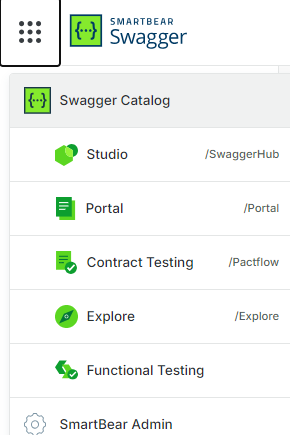 | The App Switcher allows you to navigate between Swagger Products. SmartBear Admin - Clicking this icon navigates you to SmartBear Admin. Support and Documentation - SmartBear Support offers tutorials, user guides, and FAQs to help you navigate and use the solution effectively. For more information on Swagger Support, visit the Swagger Support Center. |
Swagger Solutions | List all the following Swagger Solutions in the sidebar:
|
Manage Org | Provides access to organization-level settings and administration. This option allows you to configure organization details, manage members and roles, and control governance and integration settings. |
Upgrade | Click Upgrade to upgrade your subscription and access to Swagger product features. See Subscription in SmartBear Admin documentation. |
Contact admin | To upgrade your subscription, access, and permission. Click Contact admin. |
Add APIs | Allows you to create or import a new API. Swagger Catalog supports the following specification types for organization APIs:
|
Organization APIs | Displays a list of all APIs available in the selected organization. Click the APIs tab to browse, manage, and review all APIs, including their versions, governance status, and projects. |
Search | Allows you to search APIs by name or version. Enter the API name or version and then select Search to filter the results. |
Filters | Allows you to search and filter APIs by specification type, visibility, project, and governance status. ImportantThe available filters display only supported specification versions. For example, you see grPC, AsyncAPI 3.1.0, and OpenAPI 3.2.0 as filter options, not version ranges such as 3.x.x or 3.2.x. |
Recents | Allows you to quickly access APIs that were recently opened in Swagger Studio Editor. You can view the recent API associated with the selected organization. |
Public APIs | Displays APIs that are publicly visible to anyone, even to those who do not have an Swagger Studio account. |
SmartBear Admin | You can go to SmartBear Admin to see your organization, members, and plans. Administrators can invite and manage users and admins, assign licenses, manage subscriptions and billing, and request the deletion of the organization. Refer to SmartBear Admin documentation for more information. |