Versions
Swagger Catalog allows you to view a list of versions and navigate to them. All versions are listed in the drop-down next to the API (domain) name, so you can switch between them with just a few clicks. See Versioning, for more information.
To view versions, do the following:
Note
If an API is not available, click the View option, select the product it is associated with. Select Edit to edit the API or click Live View to view the API details. You are navigated to Swagger Portal where you can unlink the API from the product. See, Swagger Portal documentation for more information.
On the Swagger Catalog home screen, under Versions, click the Version link.
The version link has the list of versions available for the API.
In the All versions screen, you can view the list of API versions and their last saved details.
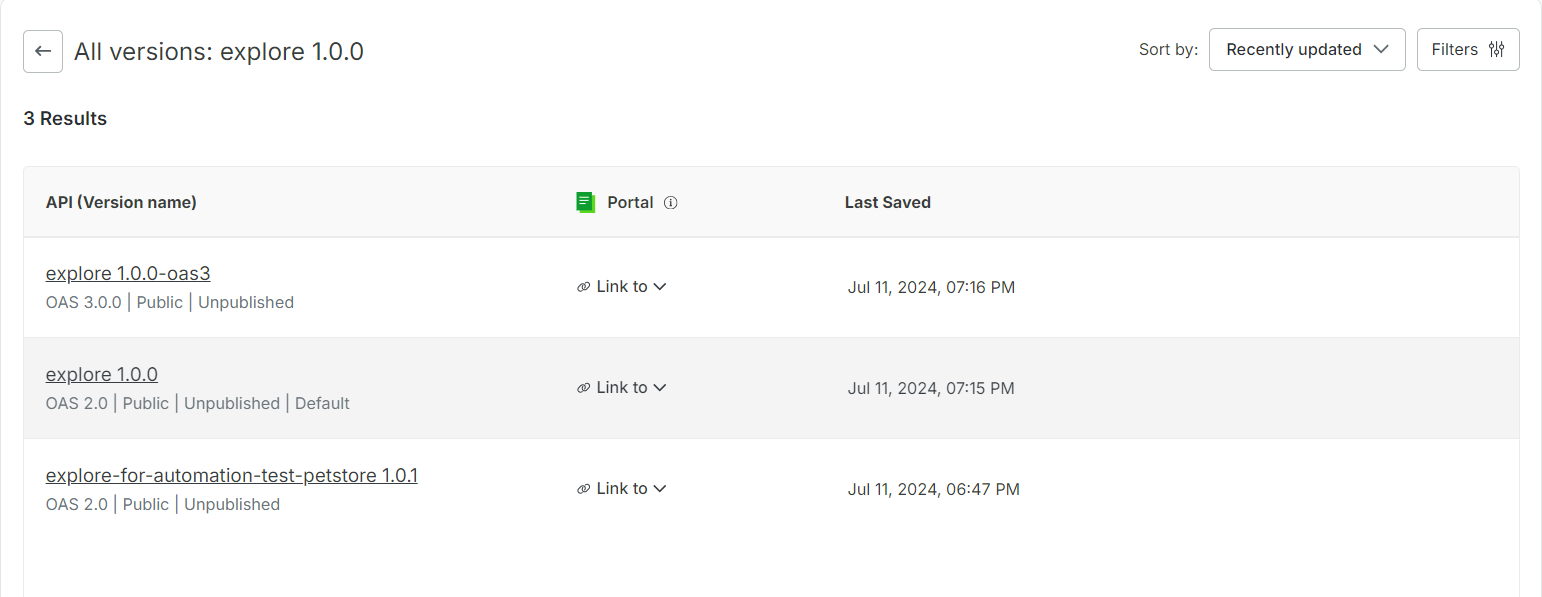
Click the required API version to open it in the Swagger Code Editor or to view the API. Alternatively, you can also link the API to a product. See Portal to link the API to a product.
(Optional) Click the Back arrow to navigate back to the Swagger Catalog home screen.